

Capturing the perfect shot is just the start – great editing turns it into YouTube gold. For Bangladeshi creators on a budget, the right video editor makes all the difference. In this guide, we cut through the noise to help you pick the best tool for your needs.
Editing doesn’t have to be a headache. CapCut, DaVinci Resolve, Filmora, Shotcut, and Premiere Rush each bring unique strengths for beginners. We’ll explain why each one matters, especially for Bangladesh’s context (think limited budgets and hardware). By the end, you’ll know exactly which editor to start with today – and how to upgrade as you grow.
Quick Answer (Best Editing Software for Beginners)
- Best overall: CapCut – Free, user-friendly, and packed with AI tools for social videos.
- Best free (PC): DaVinci Resolve – Pro-level color and audio tools, free up to 4K. Great if you have a strong PC.
- Best for low-end PC: Shotcut / OpenShot – Both are free, open-source and lightweight, ideal for basic laptops.
- Best balance of easy + powerful: Wondershare Filmora – Intuitive interface with plenty of templates (affordable in BD).
- Best for mobile: Adobe Premiere Rush – Simple cross-device editor (being phased out in 2025, but still useful for quick phone edits).
Each summary above is a 2–3 line snapshot. We’ll unpack them next and help you choose based on your situation – whether you have a budget phone, a simple laptop, or dream of a pro studio.
Why Choosing the Right Editing Software Matters for YouTube Beginners
As a newbie, it’s tempting to grab the first editing app you see. But the wrong tool can backfire:
- Overkill vs. simplicity: Complex programs can overwhelm beginners. Spending hours wrestling with confusing menus wastes time better spent on filming or learning.
- Video quality & growth: Editing software shapes final quality – from crisp color grading to clean cuts. A good editor speeds up your workflow, letting you post consistently (and consistency is key on YouTube).
- Bangladesh reality: Many creators here start on a smartphone or a basic laptop. Expensive software or high-end PCs aren’t common. You need tools that work on low hardware and low budgets.
Getting the right fit means faster learning, better videos, and less frustration. This guide factors in Bangladesh needs: affordable/free options, mobile-friendly apps, and tools that run on modest machines.
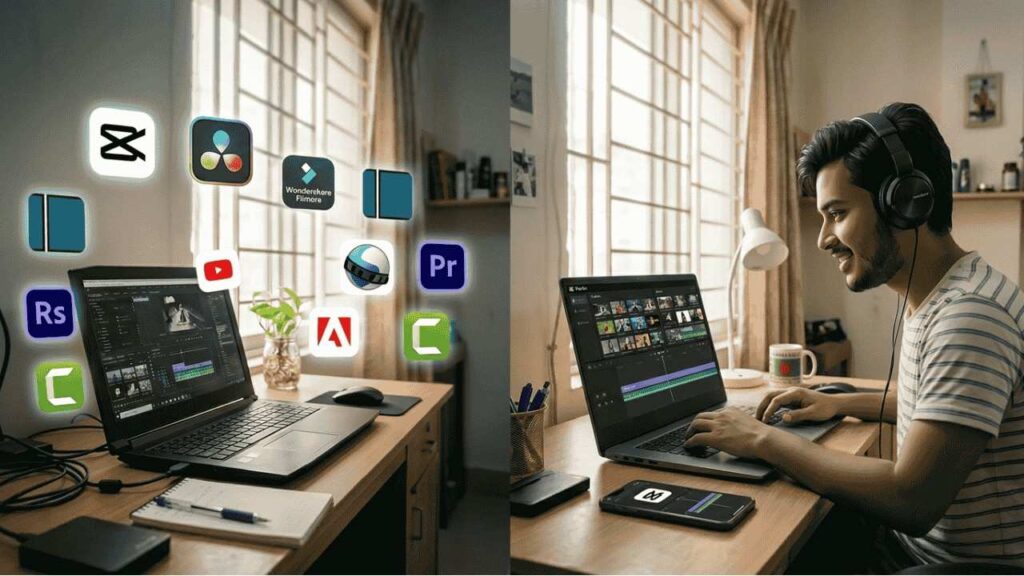
Best Editing Software for YouTube Beginners (Detailed List)
1. CapCut – Best for Complete Beginners (Mobile & PC)
Why it’s great:
CapCut is free, easy, and packed with features. It was born on mobile (it’s the TikTok creator’s go-to) and now runs on PC and online too. For beginners, CapCut’s interface is almost effortless: drag-and-drop clips, tap to add effects or text, and export to YouTube or TikTok in one click.
CapCut still packs professional power under the hood. The free version includes things like motion tracking, chroma-key (green-screen), and color grading – features usually reserved for paid tools. Smart AI tools (Auto Captions, script-to-video) speed up editing by doing heavy lifting for you. For example, its Auto Captions can subtitle your Bangla or English speaking scenes in multiple languages instantly.
- Best for: Vlogs, shorts, social-media style videos. If you shoot on phone or want fast edits, CapCut works on Android, iOS, Windows, Mac, or even in your browser.
- Pros: 100% free (you only need an account), no watermark, tons of filters/animations, direct TikTok/YouTube upload.
- Cons: Heavy AI features can hide some controls (advanced users may feel constrained). On very old PCs, CapCut’s newer desktop version may run slower (it’s fairly lightweight, though).
(Tip:CapCut offers an optional CapCut Pro subscriptionwith extra templates, stock music, and 1 TB cloud storage. Bangladeshi beginners rarely need it at first – the free tier is “surprisingly powerful” by itself.)
2. DaVinci Resolve – Best Free Professional Software
Why it’s great:
DaVinci Resolve is an industry titan (used on Hollywood films). Amazingly, Blackmagic Design gives away almost the whole app for free. It includes pro-level color correction, multi-track editing, fusion VFX, and Fairlight audio all in one package.
For a YouTuber, that means you can achieve crisp color grading, great sound mixing, and cinematic effects without paying a cent. The free version supports up to 4K export (3840×2160) and even has HDR grading and collaboration features. In other words, your video’s output can match bigger channels. When you’re ready for more, the $295 Studio upgrade unlocks AI noise reduction and 8K export, but many YouTubers stick with the free tier.
- Best for: Aspiring pros who want studio-level tools. If you plan to grow into big, heavily edited videos, learning Resolve early helps.
- Pros: Free forever with virtually all core features; Hollywood-grade color and VFX; works on Windows/Mac/Linux.
- Cons: Steep learning curve. The interface and tools are complex (remember, it’s pro software). Also, need a beefy PC: DaVinci likes a good GPU and lots of RAM. On older machines, it can lag or crash. For a low-end BD laptop, it may be too much.
(Bangladesh note: We only recommend Resolve if your PC is new/strong. If your laptop is weak, stick to simpler editors below.)
3. Wondershare Filmora – Best Balance of Easy + Powerful
Why it’s great:
Filmora strikes a sweet spot between simplicity and features. Its clean interface is intuitive for beginners, yet it still offers plenty of juice. You get easy drag-and-drop edits, built-in transitions/titles, and a built-in media library for background music and effects. The dual-timeline feature even lets you edit two tracks independently (handy for cutaways).
Filmora also leans into AI and modern tools. The latest versions add things like AI scene detection and noise removal. It has a large asset library (2.9M+ stock clips, music, and effects) so you rarely need outside resources.
- Best for: Creators who want a gentle learning curve but still aim for polished videos. Many BD YouTubers use Filmora because it’s quick to pick up.
- Pros: Beginner-friendly, plenty of presets/templates, supports 4K export. Affordable pricing: in Bangladesh, the Advanced Plan is just ~2099৳/year (about $20), which removes watermarks and adds AI credits.
- Cons: Free trial adds a watermark to exports. Some advanced features (like certain 3D edits or motion tracking) are more limited than Resolve.
(Pro tip: If you outgrow the free trial, a Filmora Premium account (paid subscription) unlocks all effects and removes the watermark. Local sellers even accept bKash/Nagad for easy payments.)
4. Shotcut / OpenShot – Best for Low-End PCs
Why they’re great:
Shotcut and OpenShot are free, open-source editors that run on almost any machine. They don’t have fancy AI, but they cover the basics surprisingly well – and without a price tag or watermark.
- Shotcut supports hundreds of formats natively (no import step needed) thanks to FFmpeg. It lets you edit 4K videos and has docks/tabs for various tools. You can drag-and-drop clips, trim them, apply filters, and even capture from webcam or screen. It’s lightweight and updated often (version 26+ out in 2026).
- OpenShot boasts a very simple UI: drag your clips into the timeline, then cut/transition/title away. It offers unlimited tracks, basic effects (keying, color), and even 3D animated titles. The developers focus on ease: it’s “incredibly simple and powerful”.
- Best for: Beginners with only a modest PC or who want free tools. Perfect for simple vlogs or tutorials where you just need to cut clips, add some text, and export.
- Pros: Completely free (no watermark ever), cross-platform, very simple interface. Shotcut/OpenShot can run on older Windows or even Linux.
- Cons: Performance can lag on very long videos or if you add many effects. Feature-wise, they lack the polish of paid tools. You might outgrow them if you get very ambitious (but by then you can upgrade to Resolve or Filmora).
(Bangladesh angle: Because both are open-source, you can google and download without needing to log in or pay – handy for local users with limited internet. You also won’t need a Freelance marketing tools subscription to use them!)
5. Adobe Premiere Rush – Best for Mobile Editing
Why it’s great:
Adobe Premiere Rush was designed for creators who need to edit on the go. It’s a simplified version of Premiere Pro that works on phones, tablets, and PC. Rush offers a very clean timeline and one-touch color/audio adjustments. If you film on your phone, you can start your edit right there: trim, add an intro, and publish to YouTube, all within a few taps. It automatically syncs your projects across devices via Adobe Creative Cloud, so you can begin on your phone and finish on a laptop.
- Best for: Creators who rely on mobile filming and want the convenience of editing on a phone. Eg: street vloggers, student creators, or anyone without a PC.
- Pros: Easy interface, built-in presets (auto-ducking audio, motion graphics templates), and cloud sync. Works on Android and iOS (and has a Windows/Mac app). Adobe often bundles it with Creative Cloud (so if you already have Adobe CC for Photoshop, you get Rush).
- Cons: As of 2025, Adobe discontinued Rush on Dec 31, 2025, replacing it with new mobile editing apps. If you try it now, support is limited. Also, the free plan is very limited (3 exports only). To continue, you need an Adobe subscription, which is pricey. There are also fewer features than full editors.
(Bangladesh tip: Since Rush is being phased out, beginners might skip it and use CapCut or Filmora Go on mobile. If you do use it, note it requires signup through Adobe CC.)
Optional: Camtasia – Best for Tutorial Videos
If your YouTube niche is teaching, tutorials, or game walkthroughs, consider Camtasia. It’s a screen recorder and editor in one. You can capture your computer screen (perfect for software demos) and then edit the video right away. Camtasia’s interface is pretty straightforward with callout and annotation tools built-in.
- Best for: Educators, gamers, or anyone needing easy screen capture + editing.
- Pros: Intuitive, stable, lots of built-in assets (arrows, titles, transitions). Works well even for non-techies.
- Cons: It’s paid (one-time fee or subscription), and on Bangladesh budgets, it’s not cheap. Also, since it’s Windows-only, Mac users can’t use it.
For brevity we won’t detail Camtasia further here, but it’s worth mentioning in passing for those making tutorial content.
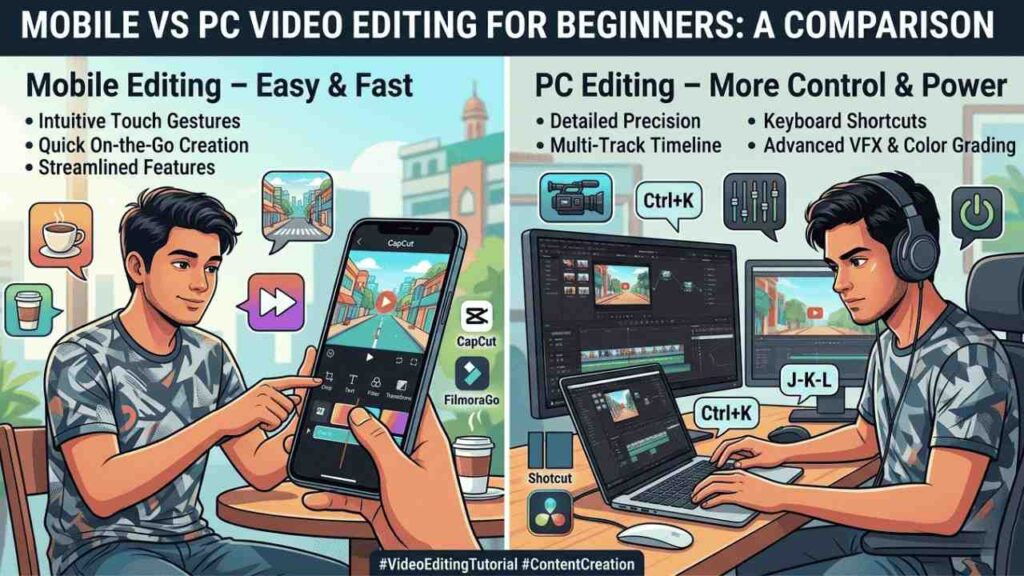
Mobile vs PC – Which One Should You Start With?
Bangladeshi beginners often wonder: Should I edit on my phone or a PC? It depends on your situation:
- Mobile editing: If you only have a smartphone, start with CapCut or FilmoraGo on Android/iOS. These let you edit anywhere, and you can go viral with Shorts and social videos. Mobile editors are easy (just tap clips, press “Export”). The downside is small screen and limited power. Still, for quick edits of TikToks or vlogs, mobile apps save the day.
- PC editing: Even a budget laptop opens more possibilities. PC editors (Shotcut, Filmora, Resolve) have bigger screens and keyboard shortcuts – meaning faster editing. They also handle longer videos and larger files better. If you foresee making longer YouTube content, learning on a PC is better in the long run.
Recommendation by factors:
- Budget: If money (or internet) is tight, start on mobile with free apps (CapCut or FilmoraGo). If you can afford a simple laptop, invest in a lightweight Windows laptop or even a refurbished one for $150–200.
- Device: If you have an Android phone only, mobile editing is natural. If you own a PC (even old), try OpenShot or Filmora. Chromebook users can also use online editors or Linux versions of OpenShot/Shotcut.
- Content type: For quick social clips (Reels, Shorts), mobile is fine. For polished videos (vlogs with B-roll, tutorials), editing on PC (even Shotcut/Filmora) will give better control.
The good news: your choice isn’t permanent. Start simple (CapCut on phone), then move to PC (Filmora or Davinci) when you’re ready. Your skills will grow as you upgrade tools.
Best Editing Software Based on Your Situation
Here’s a decision map – choose the path that fits you:
- You have a low-end or old laptop: Go with Shotcut or OpenShot. They’re free, lightweight, and you won’t need to upgrade hardware. You may sacrifice flashy effects, but you’ll learn editing basics easily.
- You only use a mobile phone: Try CapCut (for free, more features) or Premiere Rush (if you already have Adobe). CapCut has no watermark and is free, so it’s ideal for any phone.
- You aim for serious/pro growth: Invest time in DaVinci Resolve and a better PC. Resolve is free but demands powerful hardware. But if you can manage it, you get unlimited creative room. Alternatively, Premiere Pro (not covered here) is another pro option (with subscription).
- You want easy & fast results: Filmora is your friend. Its learning curve is gentle, and you’ll make decent videos right away. The tradeoff is paying a modest fee to remove watermarks. In BD, you can get Filmora for around 2,099৳/year, which is affordable.
Each of these tools can take you from zero to decent videos – the difference is how quickly and how advanced you want to go.
Key Features to Look for in Editing Software (Beginner Guide)
Regardless of brand, the right editor for a beginner should have:
- Easy interface: Big icons, drag-and-drop timeline, and clear labels. You shouldn’t need a manual just to find where to cut.
- Drag-and-drop editing: The simpler you can insert clips, trim them, and add transitions, the less frustrating it is. Ideally, you can just grab a file from your folder into the editor.
- Export quality (1080p/4K): Today’s YouTube favors HD content. Make sure your editor can export at least Full HD (1920×1080). Some free editors cap resolution, but most (CapCut, Filmora, Shotcut) do up to 4K.
- Templates & effects: Beginner-friendly editors include ready-made intro/outro templates, transitions, and filters. These save time. Filmora and CapCut have large libraries.
- Performance on low devices: Check if the software will run smoothly on your system. Editors like Shotcut/OpenShot specifically tout “lightweight” performance. The Digital Bangladesh data shows many users have basic smartphones and modest PCs, so prioritize software that doesn’t need bleeding-edge hardware.
- No watermarks in free mode: Some free trials slap a big logo on your video (very unprofessional). OpenShot and Shotcut never do (free software forever). CapCut’s free export has no watermark. If you do use Filmora or others, be prepared to see a watermark until you buy a license.
A quick side note: Editing software Category on our site lists many tools in one place. Browse it for tutorials on any software mentioned here.
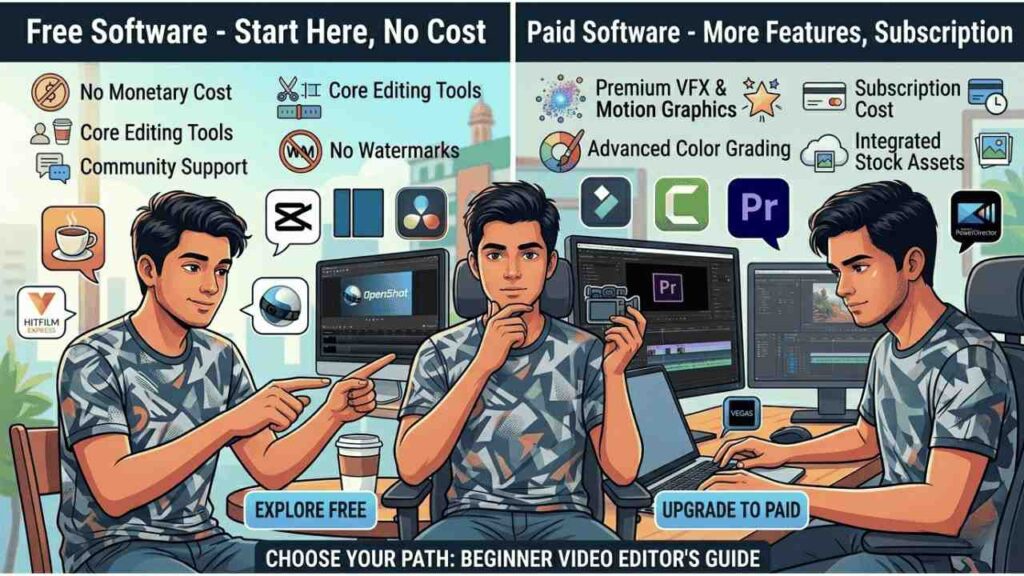
Free vs Paid Video Editing Software – What Should You Choose?
- Free tools (OpenShot, Shotcut, CapCut, Resolve):
- Pros: No cost, so risk-free to try. CapCut and Shotcut/OpenShot are completely free always. DaVinci Resolve’s free tier includes almost everything a YouTuber needs.
- Cons: Usually fewer polished templates/effects. Might lack support (no official help line), and sometimes the UI is less slick. Some free versions add watermarks (Filmora free trial does).
- Paid tools (Filmora, Camtasia, Davinci Studio, Premiere Pro):
- Pros: Often easier to use out of the box, with tech support. More built-in assets, tutorials, and updates.
- Cons: You must pay (often subscription). For many Bangladesh beginners, even $50/year is a stretch. Keep in mind local buying options (we saw Filmora can be bought with local payment methods).
Recommendation:
Start with free. Use CapCut or Shotcut to learn editing. As you grow and if you need more features (no watermark, advanced AI tools, etc.), consider a low-cost upgrade. For example, a Filmora Premium account (via an official seller like Digital Brother’s Zone) gets you watermark removal and effects for under 2100৳. Or upgrade to Resolve Studio only if you truly need the extras.
Remember, skill matters more than software. Free tools suffice for good videos – just focus on shooting well and telling a story.
Beginner Tips for Editing YouTube Videos (Bangladesh Creators)
- Start Simple: Your first videos don’t need fancy effects. Focus on clear cuts and good pacing. Use one or two transitions max, and keep titles clean. The story is your content, not the bling.
- Focus on Content, Not Just Effects: Spend more time planning your shots than playing with filters. Even on an editing app with 1000 effects, viewers care about what’s happening in the video.
- Use Free Resources: Need background music or sound effects? Use royalty-free libraries (YouTube Audio Library, Freepik for images*). If you want extra design assets, consider getting a Freepik Premium subscription in future for high-quality graphics.
- Optimize for YouTube: Export in 1080p (Full HD) at least. Most Bangladesh viewers watch on phones, but high resolution still looks sharp. Name your files clearly and add “_720p” or “_1080p” to match your export. Check YouTube’s recommended bitrates and formats.
- Learn and Practice: Watch tutorials (even Bangla ones!). For example, there are many CapCut Bangla tutorials that show tricks. Editing is a skill; expect to improve with each video.
(Freepik tip: It’s more graphic design than video editing, but creating an eye-catching thumbnail from Freepik assets can boost clicks.)
FAQ – Best Editing Software for YouTube Beginners
Q: Which editing software is best for beginners in Bangladesh?
A: For most Bangladeshi beginners, we recommend CapCut (free on phone/PC) or Filmora (easy GUI) to start. Both are quite forgiving for new users.
Q: Can I edit YouTube videos on mobile?
A: Yes! Mobile apps have come a long way. The most popular mobile editors include CapCut, KineMaster, and (formerly) Adobe Premiere Rush. Just be careful with storage and battery when exporting HD videos.
Q: What is the best free video editing software without watermark?
A: Shotcut and OpenShot are both 100% free with no watermarks. DaVinci Resolve’s free version is also watermark-free. CapCut’s free output has no watermark either.
Q: Do I need a powerful PC for video editing?
A: It depends on the software. For heavy editors like DaVinci Resolve or Premiere Pro, yes – they need good RAM and a decent graphics card (preferably 4–8 GB VRAM). But for lighter editors (CapCut, Filmora, Shotcut), you can get by on an entry-level PC or laptop.
Q: What do beginner YouTubers use to edit videos?
A: Many start with free, easy editors: CapCut (for TikTok-style content), iMovie (if on Mac/iPhone), or Shotcut/OpenShot on PC.
Final Word – Which Editing Software Should You Choose?
Start with CapCut. It ticks almost every beginner box: free, intuitive, powerful, multi-platform. It lets you learn editing fundamentals without spending a taka. If you only download one app today, CapCut (Android/iPhone/Desktop) is a safe bet.
Once you outgrow CapCut (for example, if you want a PC timeline or no phone dependence), upgrade to Filmora on your laptop. It’s still beginner-friendly and affordable (see Filmora Premium account info). This combo – CapCut now, Filmora next – covers casual and growing YouTubers alike.
Later, if you become serious about production value, transition to DaVinci Resolve or Premiere Pro (if you can afford it). These pro tools have a learning curve but pay off with top-tier results.
Remember our key question: what fits your needs today?
Don’t rush into the most expensive software. Focus on making content. Use free resources (Freepik for thumbnails, Freelance marketing tools to promote yourself, etc.) until you’re ready to invest.
Important Reads:
Best AI Tools for Study and Productivity
YouTube Premium Subscription Cost In BD 2026
In summary:
Bangladeshi beginners should start simple, then invest gradually. CapCut (or Shotcut/OpenShot on PC) → Filmora → (optionally) Resolve/Premiere. That path ensures you learn and grow without overspending. Happy editing, and may your videos go viral!


