


Too much to study, not enough time? You open your laptop. Three tabs. Five deadlines. One brain. Sound familiar?
Here’s the truth — most students aren’t struggling because they’re lazy. They’re struggling because they’re using outdated methods in a world that moves at AI speed.
AI isn’t just a tool anymore. It’s a full study system. And in 2026, students who use it right are learning faster, writing better, and stressing less.
In this guide, you’ll discover the best AI tools for study and productivity, exactly how to use them, and a real workflow you can start today — even if you’re a complete beginner.
What Are AI Tools for Study and Productivity?
Think of AI study tools as your personal academic team. One handles research. Another takes your notes. One fixes your writing. Together, they work like a well-oiled machine.
Simply put, AI tools for students are software powered by machine learning that helps you learn smarter — not harder.
Here’s how they help:
- Save time — Summarize 20-page readings in minutes
- Improve focus — Automate boring tasks so you can think deeper
- Personalize learning — Adapt to your pace and style
These tools cover everything from AI-powered study planners to AI note-taking assistants to personalized learning AI. Whether you’re in Dhaka or Dubai, they work the same way — beautifully.
Benefits of Using AI Tools for Students
Why should you care? Here’s the short version:
- Faster learning — Understand concepts in plain English, instantly
- Better organization — Never miss a deadline again
- Improved writing — Submit polished, error-free assignments
- Smarter research — Find credible sources in seconds
- Better exam prep — AI tools for exam preparation help you focus on weak areas
A 2023 survey by Intelligent.com found that 30% of college students already use ChatGPT regularly for academic work. That number has only grown. Students using academic AI software are pulling ahead — not because they’re cheating, but because they’re efficient.

Best AI Tools for Study and Productivity (2026)
Let’s break down each tool. No fluff. Just what it does, when to use it, and why it matters.
1. ChatGPT – Best All-in-One Study Assistant
What it does: ChatGPT is like having a brilliant tutor available 24/7. Ask it anything — from explaining photosynthesis to debugging Python code to drafting an essay outline.
Best use cases:
- Breaking down complex concepts in simple language
- Writing and editing assignments
- Solving coding problems step by step
- Brainstorming essay arguments
Why it stands out: No other tool matches ChatGPT’s versatility. It’s a writer, tutor, coder, and brainstorm partner — all in one chat window.
When to use it: Anytime you’re stuck. Seriously. Before you Google something, ask ChatGPT first.
Best for: Beginners and advanced students alike
If you’re wondering whether to upgrade, check out our Perplexity AI Pro vs ChatGPT Plus guide — it breaks down exactly which subscription is worth your money.
2. Perplexity AI – Best for Research & Accurate Answers
What it does: Perplexity AI is Google — but smarter, faster, and with real citations. It searches the web in real time and gives you answers with sources attached.
Best use cases:
- Academic research with verifiable citations
- Fact-checking before submitting assignments
- Getting current news or recent data
Why it stands out: Unlike ChatGPT, Perplexity shows where it got its information. That’s huge for academic honesty.
Real workflow example:
- Type your research question
- Perplexity returns a summarized answer
- Click the citations to verify and dive deeper
- Copy key facts into your notes
When to use it: Every time you start a research task. Think of it as your AI research assistant that never lies about its sources.
Curious about the full breakdown? Our Perplexity AI Pro vs ChatGPT Plus guide covers every feature difference you need to know. You can also explore the Perplexity AI subscription options if you’re considering going Pro.
3. Notion AI – Best for Organization & Study Planning
What it does: Notion AI combines note-taking, task management, and an AI-powered study planner into one workspace.
Best use cases:
- Building a semester study schedule
- Organizing notes by subject
- Summarizing long readings automatically
- Setting daily study goals
Why it stands out: Notion AI doesn’t just store your notes — it thinks with you. Ask it to summarize, rewrite, or generate action items from any page.
When to use it: Set it up at the start of each week. Let it be your study command center.
4. Grammarly – Best for Writing & Editing
What it does: Grammarly is your AI writing coach. It catches grammar mistakes, improves clarity, checks tone, and even flags potential plagiarism.
Best use cases:
- Polishing essays and reports
- Improving sentence structure
- Checking academic writing before submission
Why it stands out: It works everywhere — Google Docs, email, even social media. The premium version gives deep clarity and style suggestions.
When to use it: Always. Run every assignment through Grammarly before you submit.
Students in Bangladesh looking for quality academic AI software — a Grammarly premium account is one of the best investments you can make for your writing.
5. Otter.ai – Best for Lecture Notes
What it does: Otter.ai is an AI note-taking assistant that converts spoken lectures into written notes — in real time.
Best use cases:
- Recording and transcribing live classes
- Summarizing recorded lectures
- Searching through lecture content by keyword
Why it stands out: You stop writing furiously and start listening and thinking. That’s a big deal for learning retention.
When to use it: Every class. Every lecture. Every study group discussion.
6. Canva – Best for Presentations & Visual Content
What it does: Canva’s Magic AI tools help you create stunning presentations, infographics, and visual content — no design degree required.
Best use cases:
- Building academic project presentations
- Creating infographics for reports
- Designing posters and visual summaries
Why it stands out: Canva AI can generate full slide decks from a text prompt. Type your topic. Get a presentation. Done.
When to use it: Whenever you need visual content for class projects or assignments.
7. Google Gemini – Best for Deep Explanations
What it does: Google Gemini is Google’s AI assistant built for complex thinking and research. It integrates directly with Google Docs, Drive, and Gmail.
Best use cases:
- Breaking down difficult scientific or mathematical concepts
- Researching within your Google ecosystem
- Summarizing documents stored in Drive
Why it stands out: If your entire study life lives in Google tools, Gemini fits in like a missing puzzle piece.
When to use it: When you need deep, structured explanations — or when you’re already working inside Google Docs.
8. Stepwise Math – Best for Math & Problem Solving
What it does: Stepwise Math provides step-by-step solutions to math problems with clear explanations at each stage. It’s pure personalized learning AI for numbers.
Best use cases:
- Algebra, calculus, and statistics problems
- Understanding why a solution works — not just the answer
- Exam preparation for math-heavy subjects
Why it stands out: It doesn’t just give you the answer. It teaches you the process. That’s the difference between passing one test and actually understanding math.
When to use it: During practice sessions, not just when you’re stuck. Use it to learn, not just to solve.
How to Use AI Tools for Studying (Step-by-Step Workflow)
Here’s where most guides fail you. They list tools but never show you how to combine them. This section changes that.
Simple AI Study System
Think of this as your daily study operating system.
Step 1: Research → Use Perplexity AI Start every study session here. Ask your research question. Collect citations. Build your knowledge base.
Step 2: Understand Concepts → Use ChatGPT or Google Gemini Take the raw information from Perplexity and ask ChatGPT to explain it simply. “Explain this concept like I’m 16.” Works every time.
Step 3: Take Notes → Use Notion AI Paste your key points into Notion. Ask Notion AI to organize and summarize. Now you have clean, structured notes in seconds.
Step 4: Revise & Summarize → Use an AI Content Summarizer Before your exam, use an AI content summarizer to compress your notes into bullet-point revision sheets. Study smarter, not longer.
Step 5: Write Assignments → Use Grammarly + ChatGPT Draft with ChatGPT. Edit and polish with Grammarly. Submit with confidence.
This five-step system covers the full student workflow. Research → Understand → Organize → Revise → Write. That’s your loop.
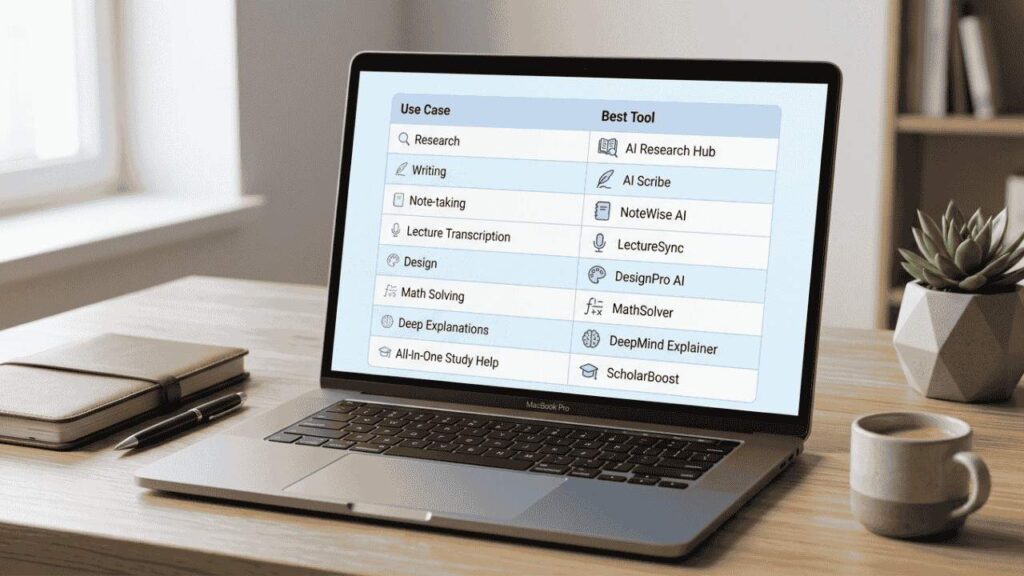
Best AI Tools by Use Case (Quick Comparison)
| Use Case | Best Tool |
| Research | Perplexity AI |
| Writing & Editing | Grammarly |
| Notes & Organization | Notion AI |
| Lecture Transcription | Otter.ai |
| Design & Presentations | Canva |
| Math Problem Solving | Stepwise Math |
| Deep Explanations | Google Gemini |
| All-in-One Study Help | ChatGPT |
Best Free AI Tools for Students
Budget tight? No problem. These tools are free and powerful:
- ChatGPT (free version) — Still the most versatile free AI tool available. A ChatGPT subscription unlocks even more, but the free tier is a great start.
- Grammarly (free) — Catches most grammar and clarity issues at zero cost
- Canva (free) — Full design features, no credit card needed
- Google Gemini — Completely free with your Google account
For students in Bangladesh: All four tools above are free and accessible. Start with these before upgrading. Check out our Subscription/Education Tool category for the best affordable upgrades.
Common Mistakes Students Make with AI
Let’s be real. AI can hurt you if you use it wrong.
1. Over-relying on AI AI is a thinking partner — not a replacement for thinking. Use it to support your learning, not skip it.
2. Not verifying information ChatGPT sometimes gets facts wrong. Always cross-check important data using Perplexity AI or original sources.
3. Copy-pasting without understanding This is the big one. Copying AI output word-for-word is plagiarism risk — and worse, you learn nothing. Always rewrite in your own words.

How to Choose the Right AI Tool for You
Not sure where to start? Use this simple decision map:
- Want better grades? → Start with ChatGPT
- Want better research? → Go to Perplexity AI
- Want better organization? → Set up Notion AI
- Want better writing? → Install Grammarly
- Struggling with math? → Try Stepwise Math
Pick one. Master it. Then add the next. That’s how real systems are built.
FAQs – Best AI Tools for Study and Productivity
What are the best AI tools for students?
The top tools are ChatGPT, Perplexity AI, Notion AI, Grammarly, and Otter.ai. Each serves a different study need.
Which AI tool is best for studying?
It depends on your goal. ChatGPT for understanding concepts. Perplexity for research. Notion AI for organization. Use them together for best results.
Are AI tools safe for students?
Yes — when used responsibly. Avoid sharing personal data. Use AI to assist, not replace, your own thinking. Always cite sources properly.
Can AI improve productivity in studies?
Absolutely. AI automates repetitive tasks, organizes your notes, and speeds up research — giving you more time to focus on actual learning.
What is the best free AI tool for students?
ChatGPT and Google Gemini are the best free options. Both are powerful, accessible, and beginner-friendly.
Relevant Read:
Best Online Meeting Tools For Business In Bangladesh
Final Word
AI isn’t replacing studying. It’s upgrading how you study.
The students winning in 2026 aren’t working harder than you. They’ve just built smarter systems. They research with Perplexity, think with ChatGPT, organize with Notion, and write with Grammarly. It’s a workflow, not just a collection of apps.
You don’t need all eight tools from day one. Pick one or two. Build the habit. Then expand your system.
The best study system is the one you actually use. And now? You know exactly where to start.
Looking to go deeper? Check out our guides on digital marketing tools for freelancers BD, and editing software for YouTube beginners, to keep leveling up.


